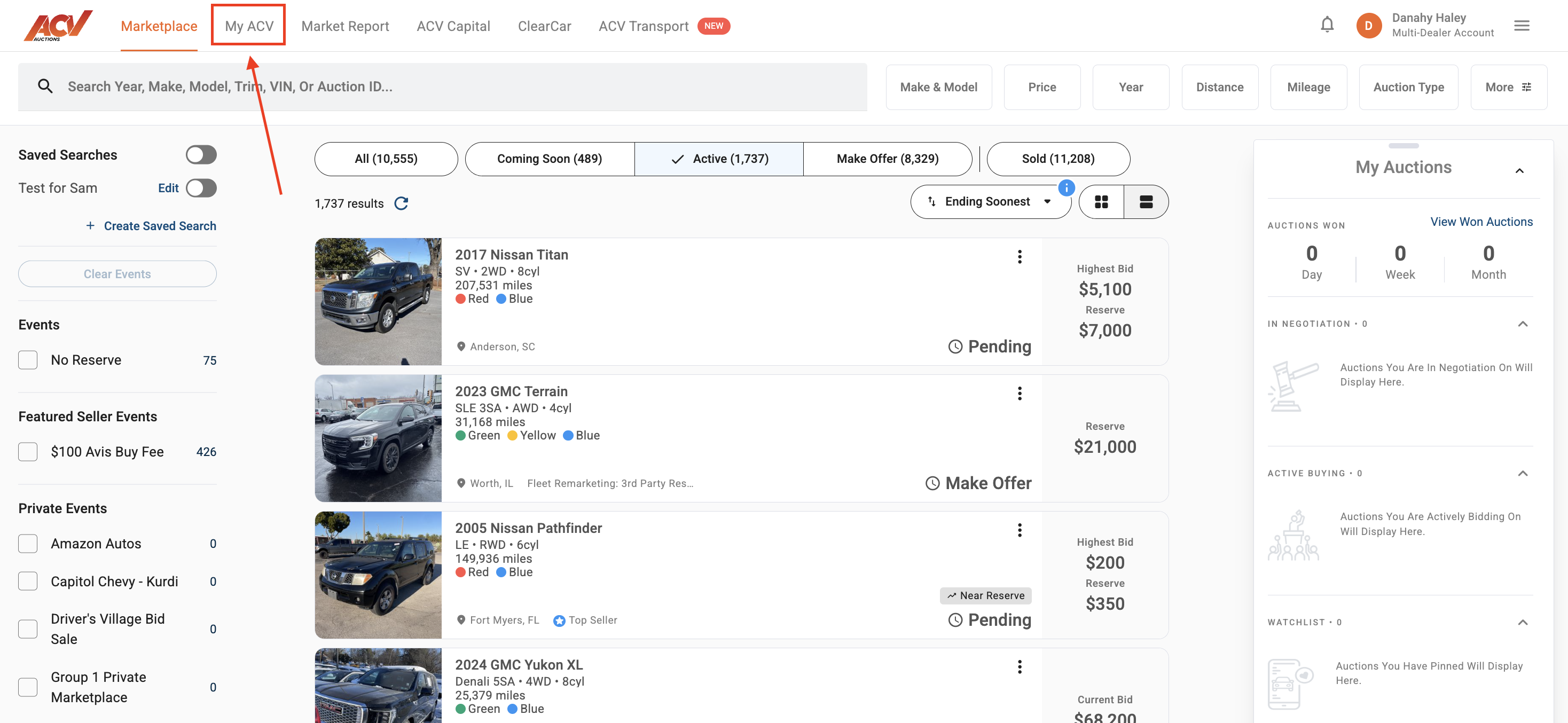
1. From ACV Auctions Marketplace page, navigate over to MyACV on the upper header.
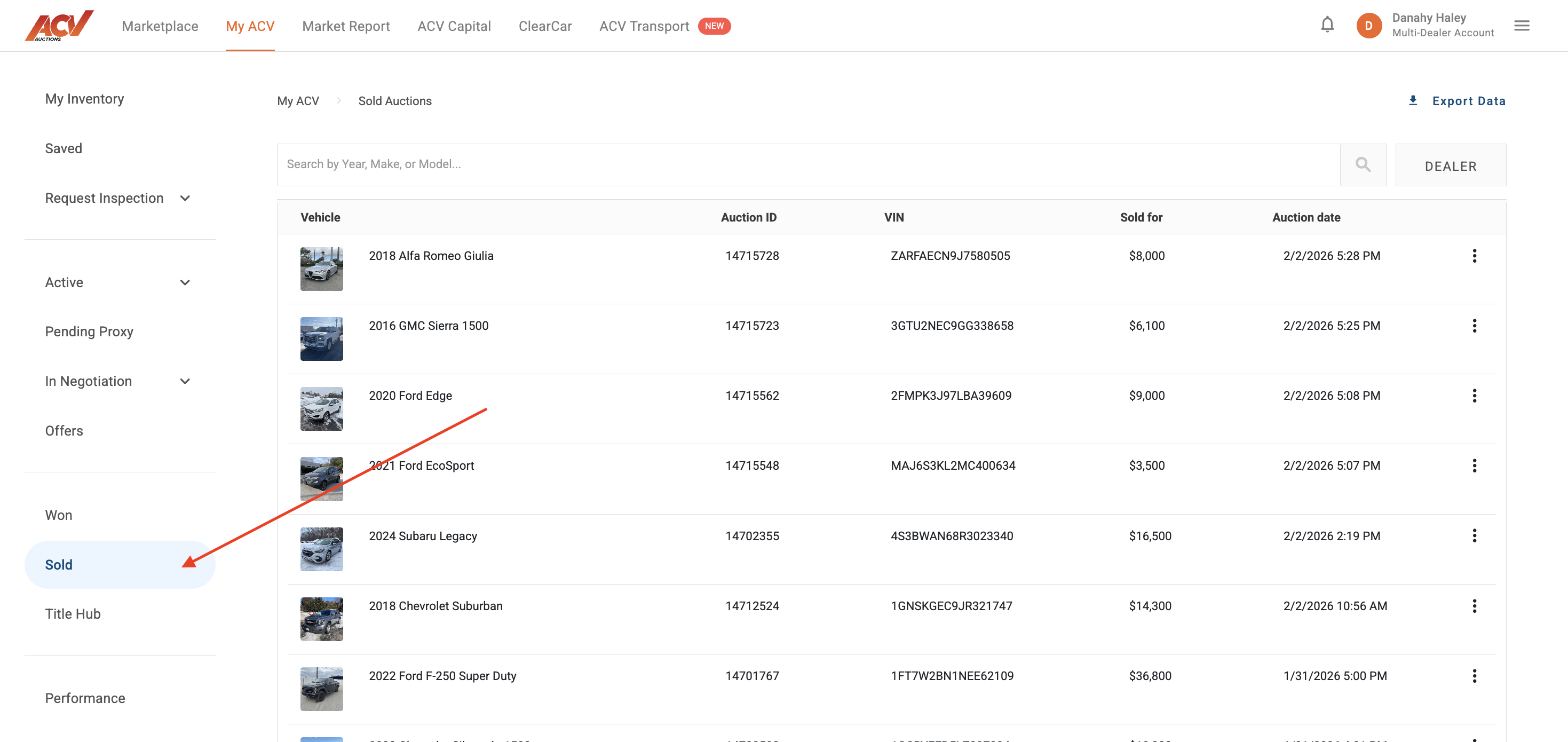
2. Navigate to the "Sold" tab on the left hand panel.
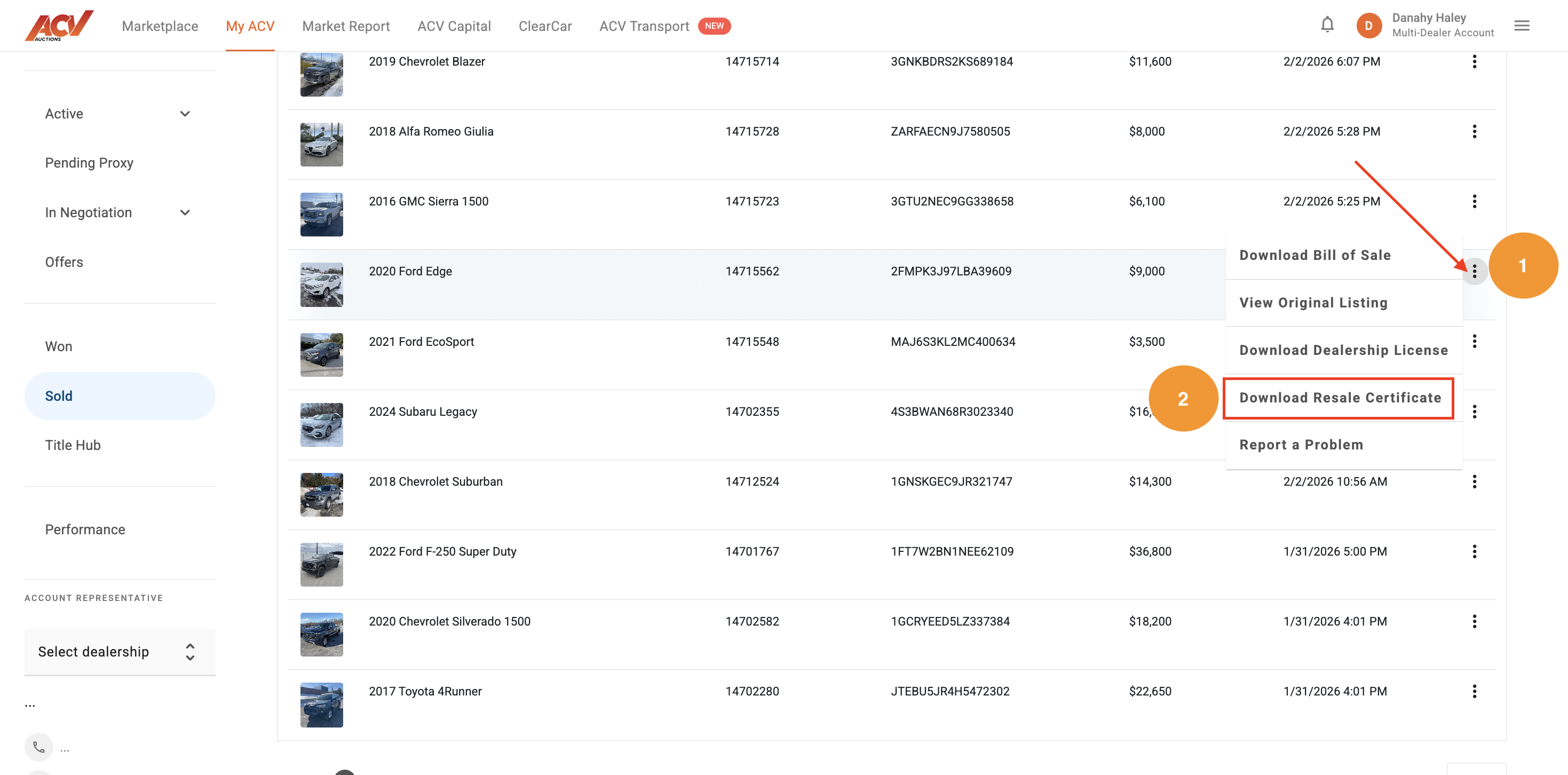
3. Locate the unit for which you'd like to download the Buyer's state Resale Certificate and click the three dots in the upper right hand corner. Select "Download Resale Certificate" from the pop out. A .pdf of the document will arrive in the Downloads folder on your device.
Our Customer Service team is happy to help! Reach out to us at 1-800-553-4070 (Option 4) or service@acvauctions.com.


