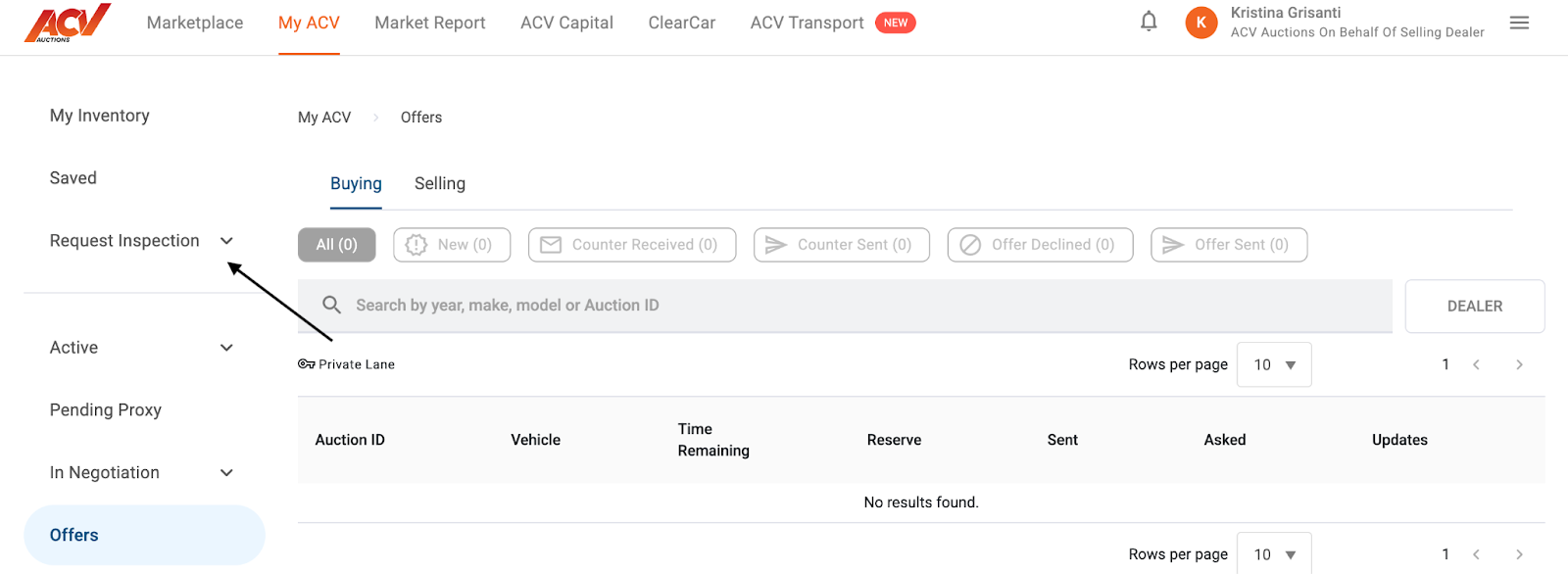
Login to ACV Marketplace and navigate to the MyACV tab and select “Request Inspection”
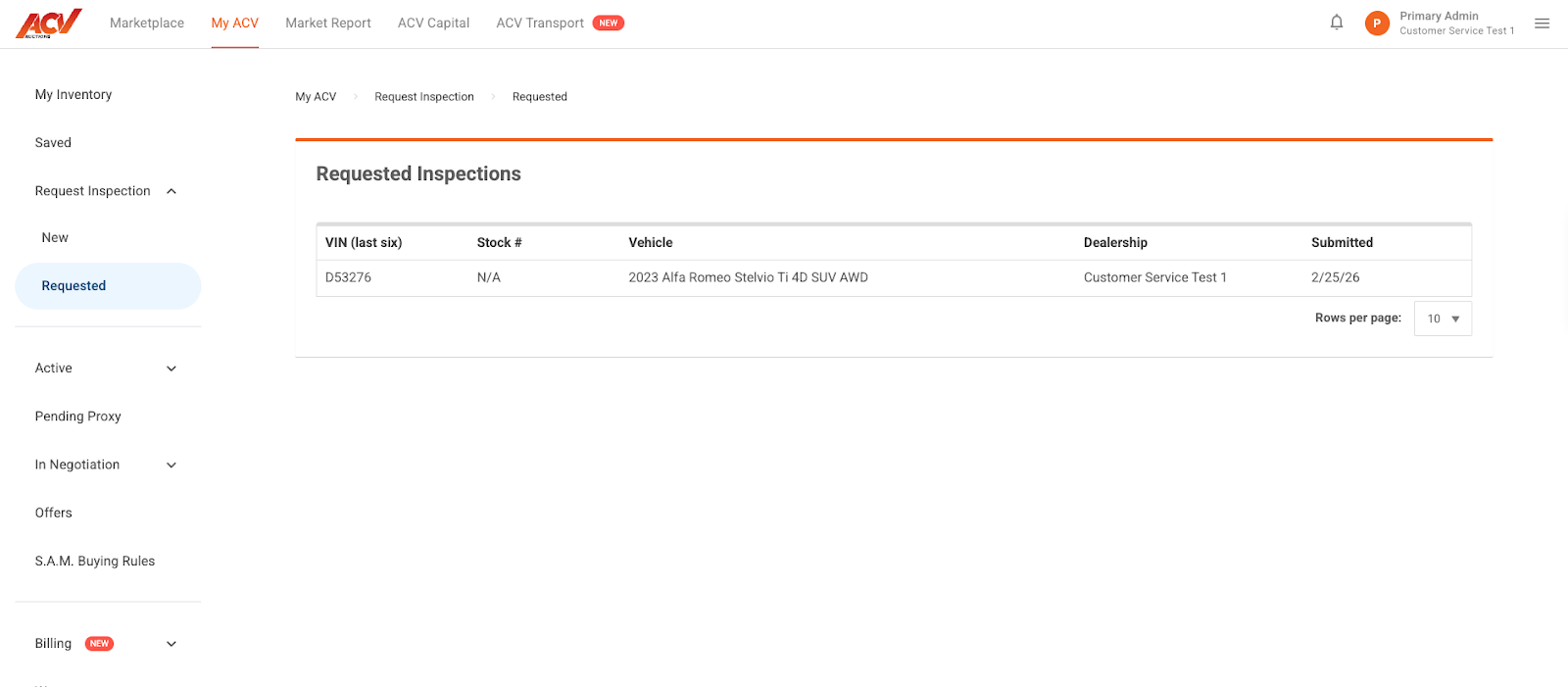
Use the option “Requested” to see all inspections that are pending
Need Further Assistance?
If you have any further questions about a specific inspection's status, or if you require additional help, our dedicated support team is always available.
📧 Email Us: service@acvauctions.com
📞 Call Us: 1-800-553-4070
💬 Chat with Us: Use the chat feature directly in MyACV!