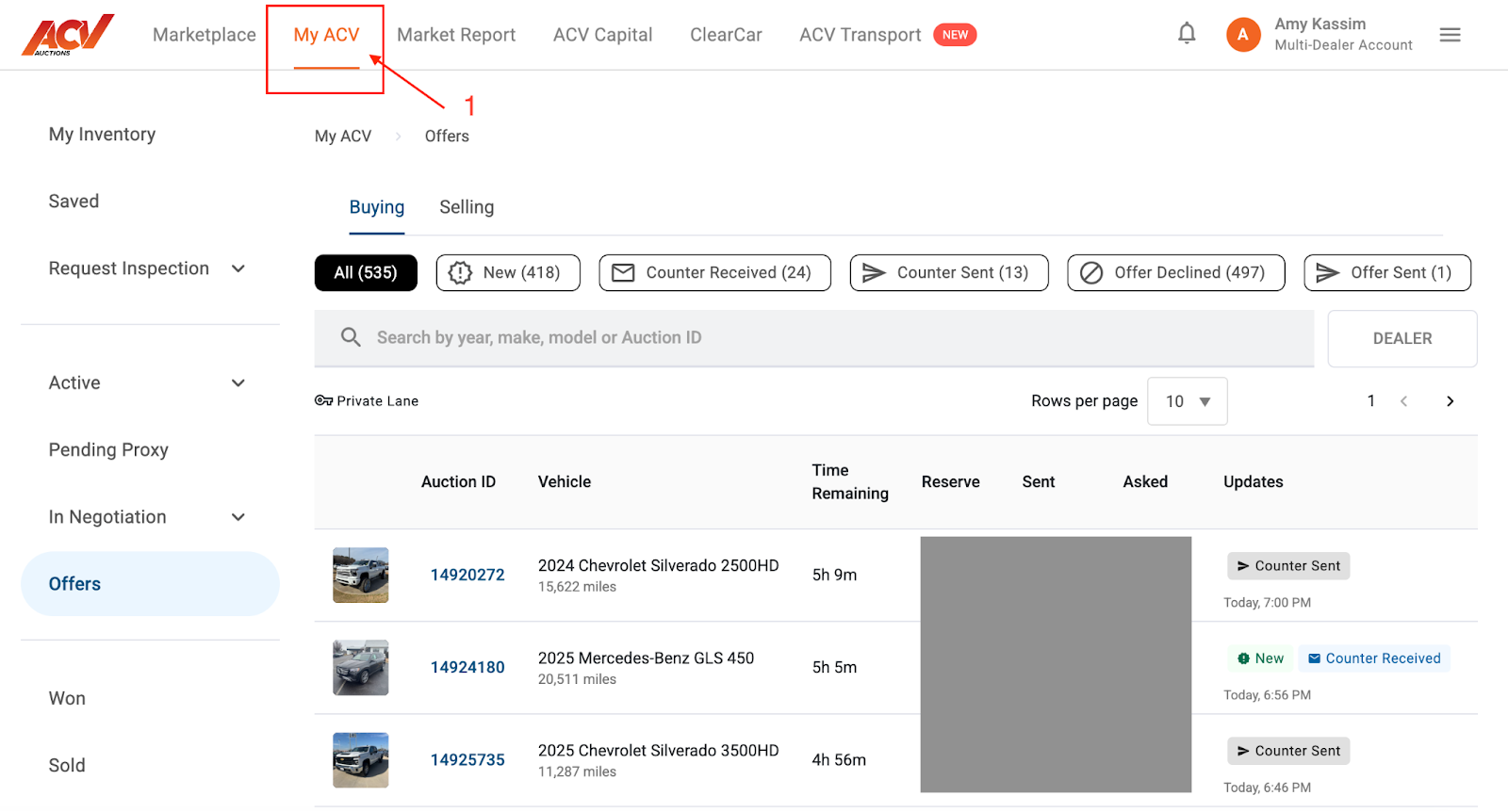
Begin by logging into your ACV Marketplace account.
Once logged in, navigate to the MyACV tab.
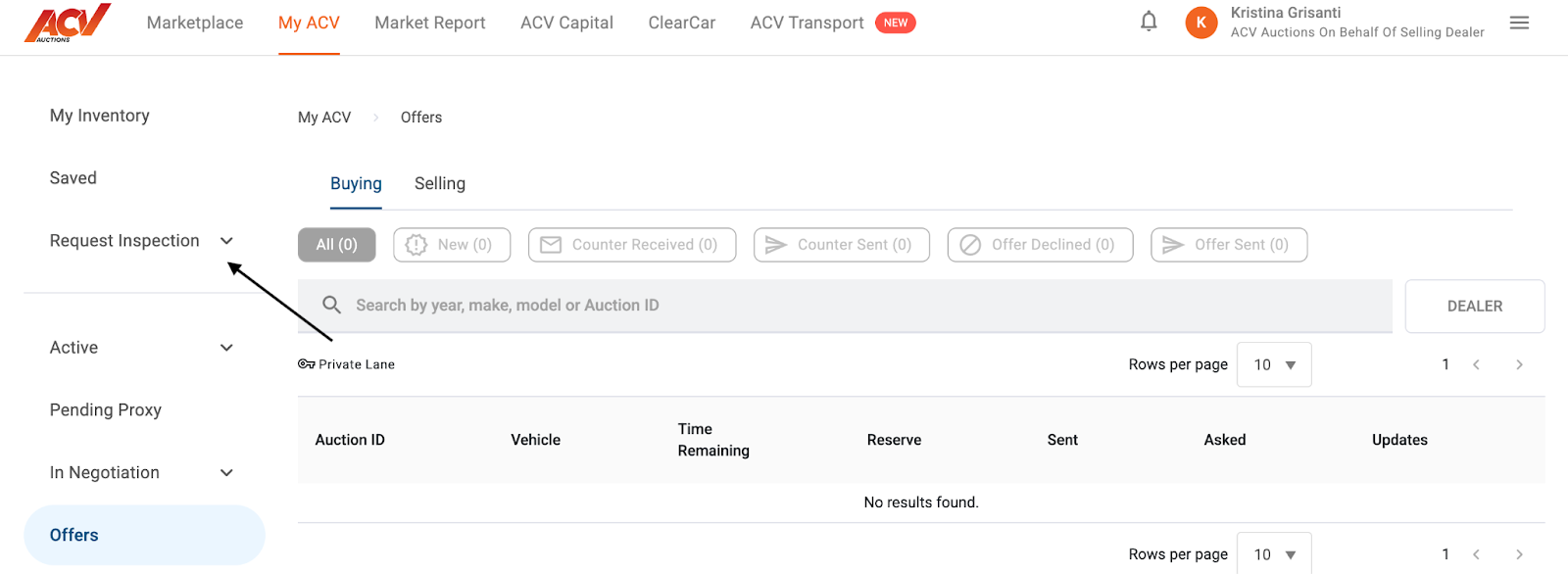
On the left-hand side of the MyACV page, you will find and select the "Request Inspection" option.
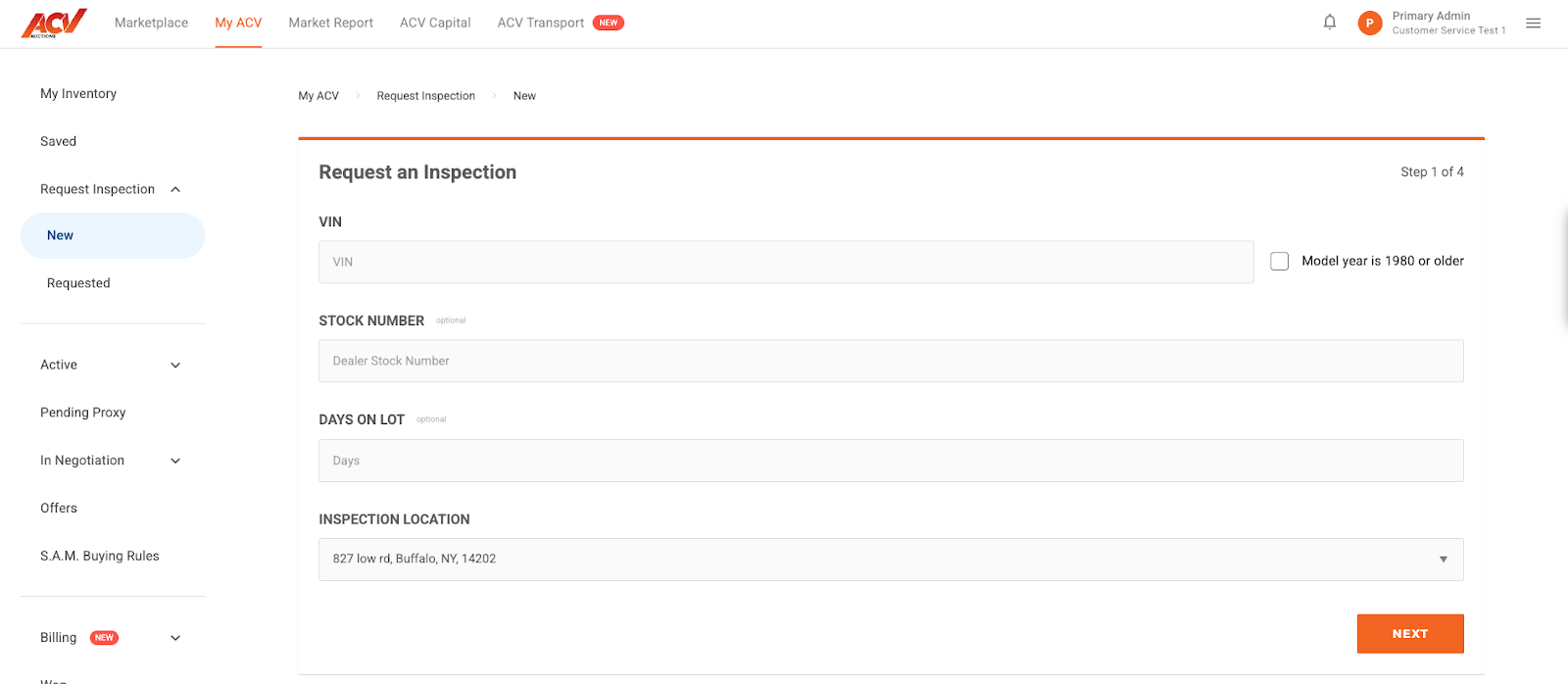
To start a brand new inspection request, click the “New” button.
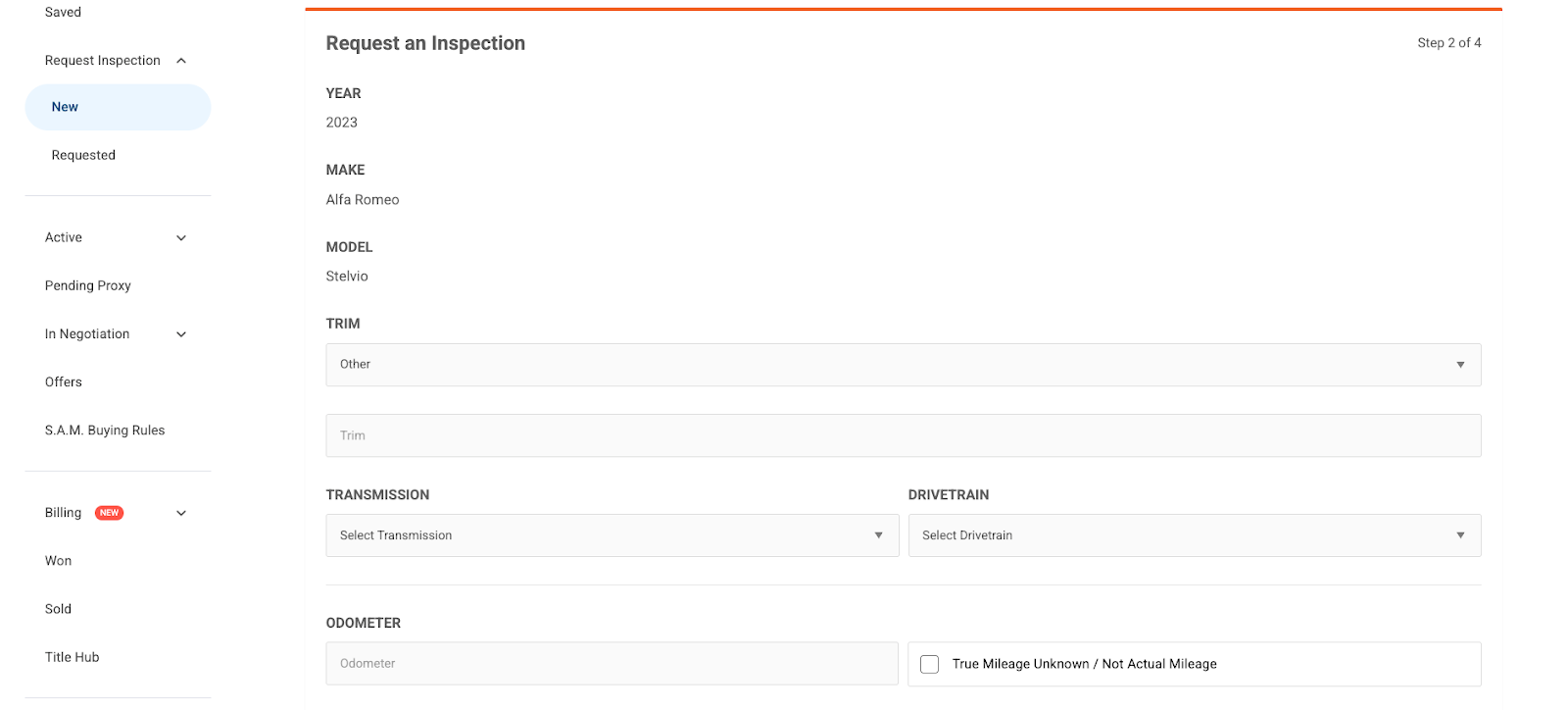
Complete the form with the details about the vehicle, location, and any specific requirements for the inspection.
Click Next
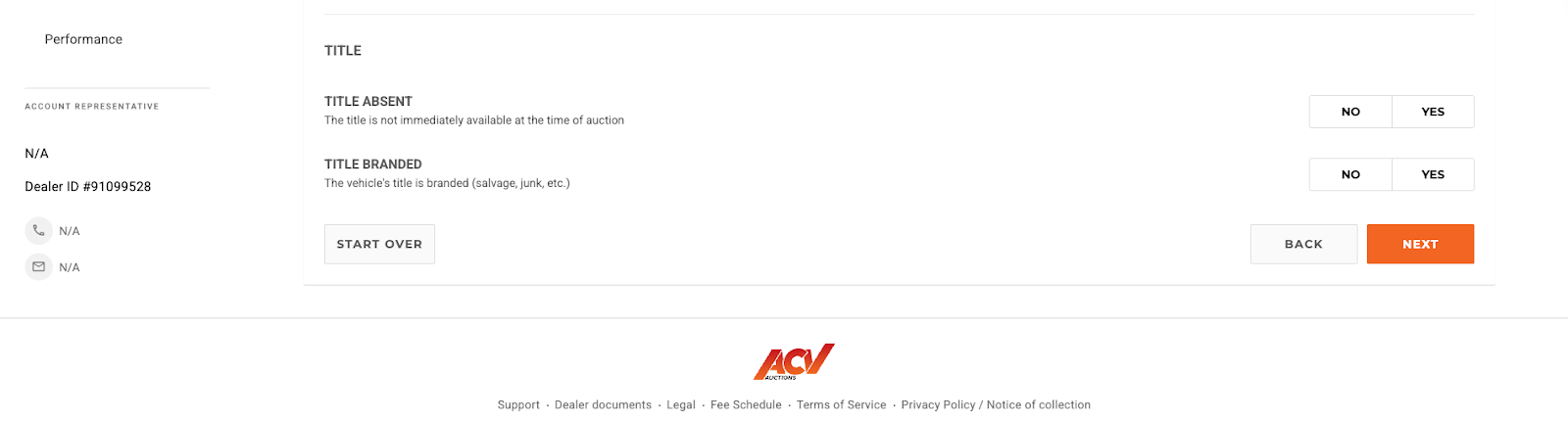
Scroll down and you will see the the odometer entry and the Title listing options. Complete this section and click next.
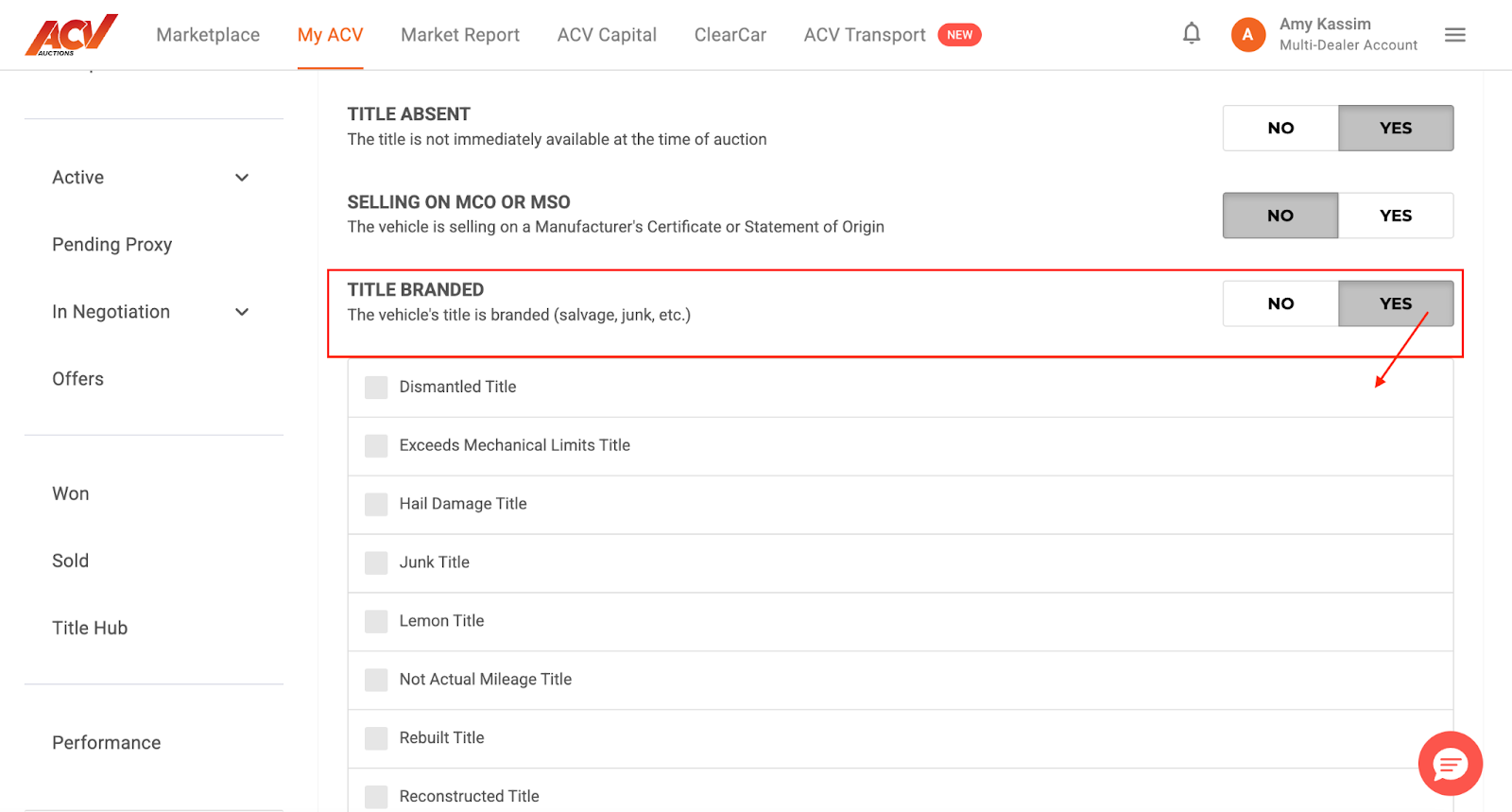
4. a. If the Title is a branded title be sure to select Yes to Title Branded and select the type of title brand needed to be disclosed (Rebuilt title, Salvage title, etc.)
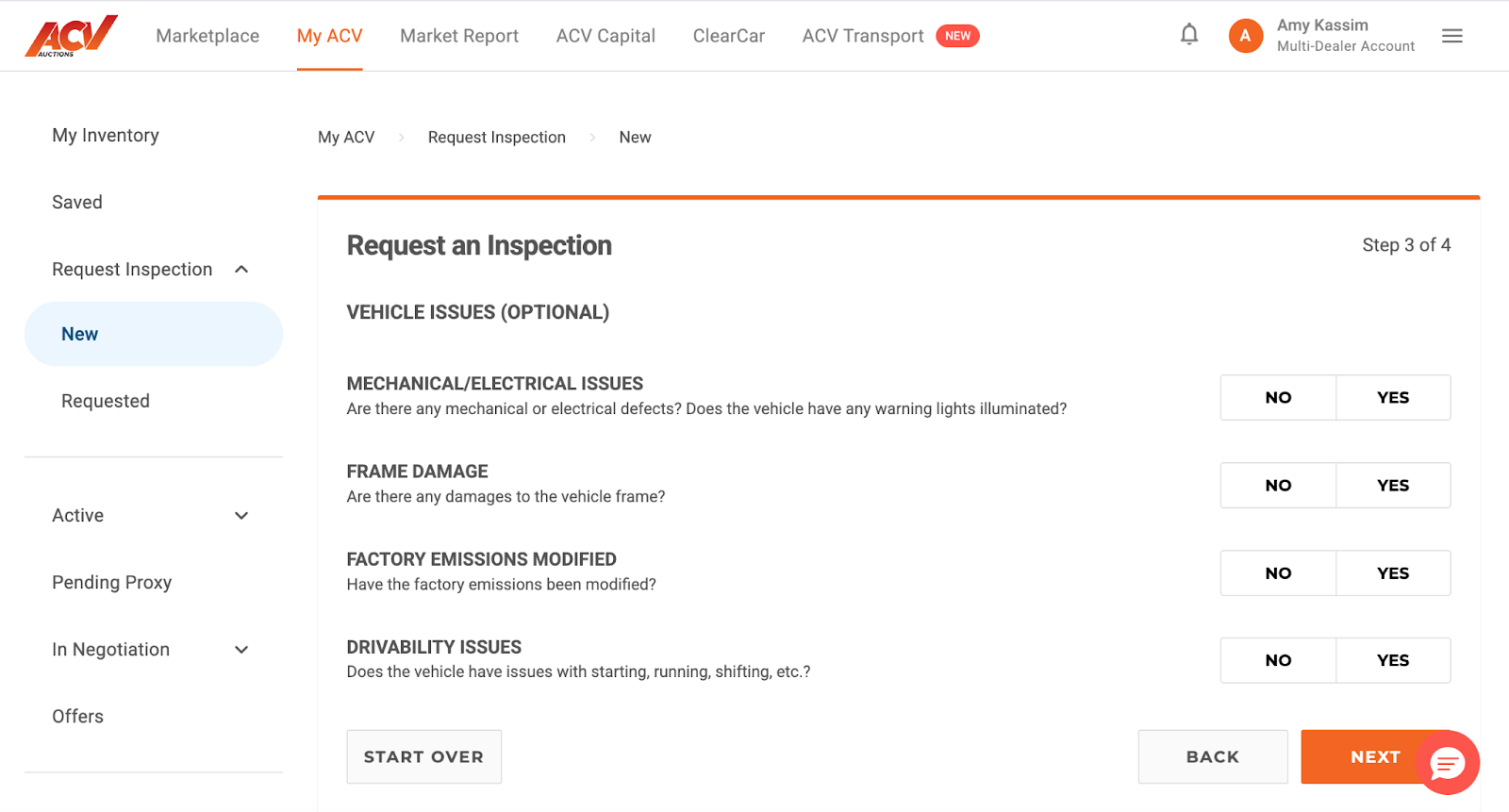
Complete the optional vehicle issues section and click next.
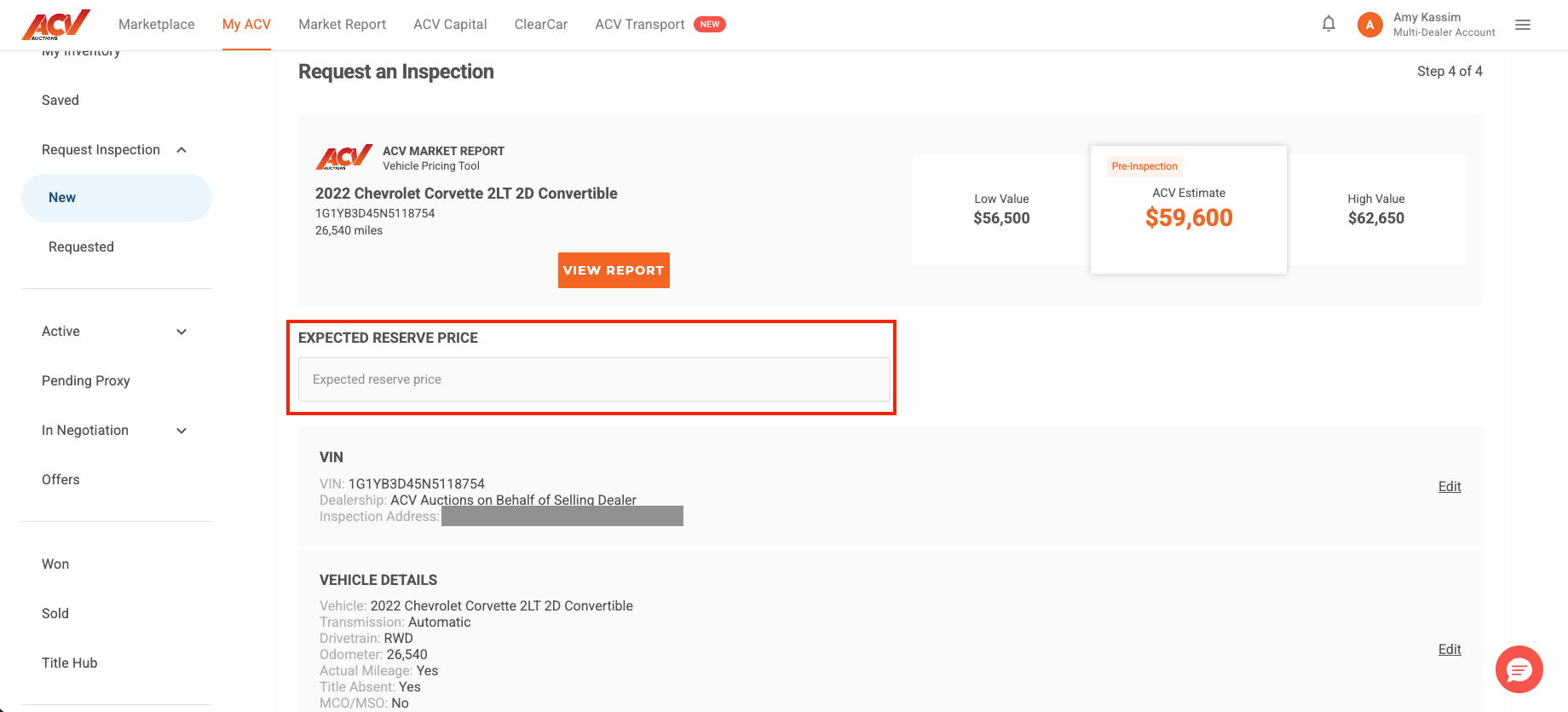
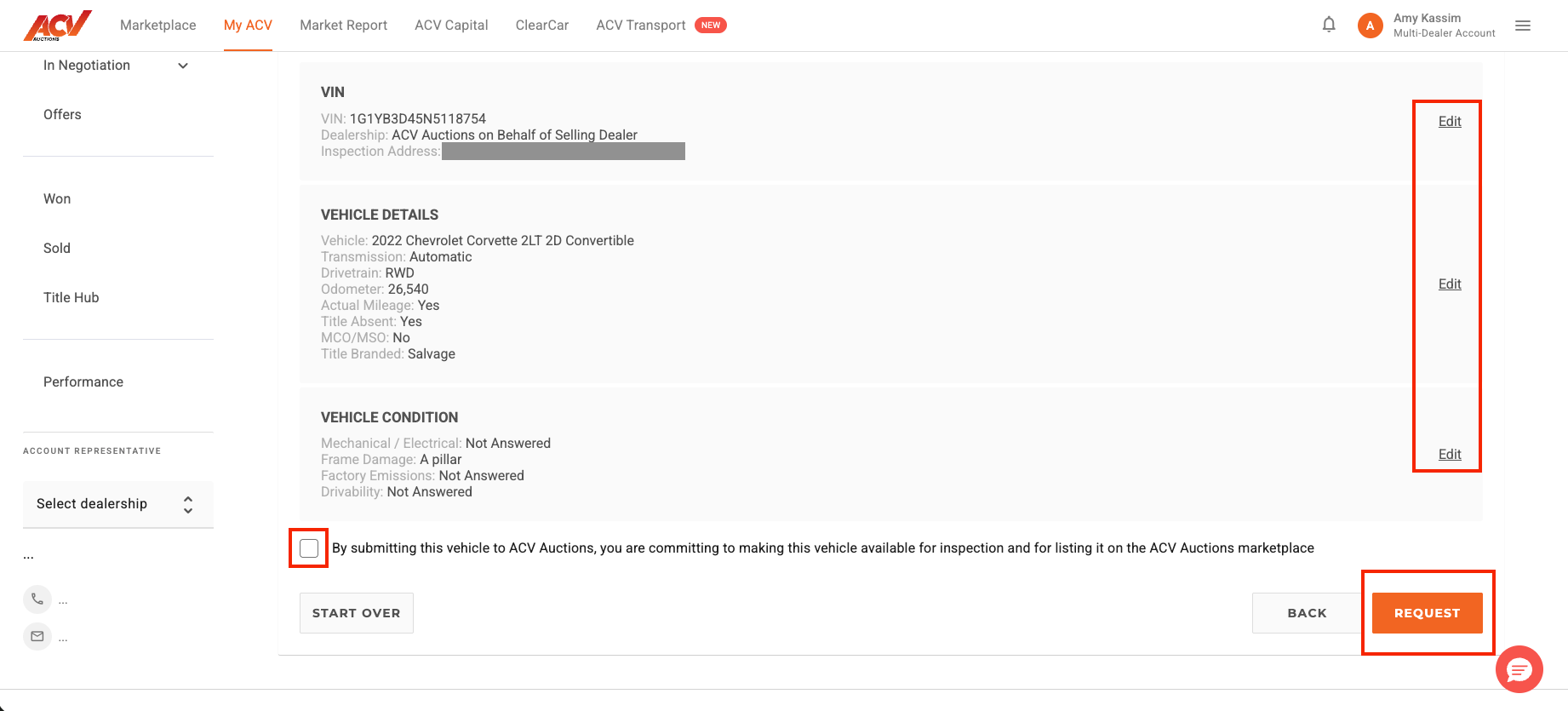
You are almost to the end of requesting the inspection! Just enter your desired expected reserve price and confirm the details on the form (make any necessary edits via the pencil for each section on the right hand side).
Once that is complete and confirmed, check the box stating that you are committing to making this vehicle available for inspection as well as for listing it on the ACV Auctions marketplace. ClickRequest and you are done, on to the next!
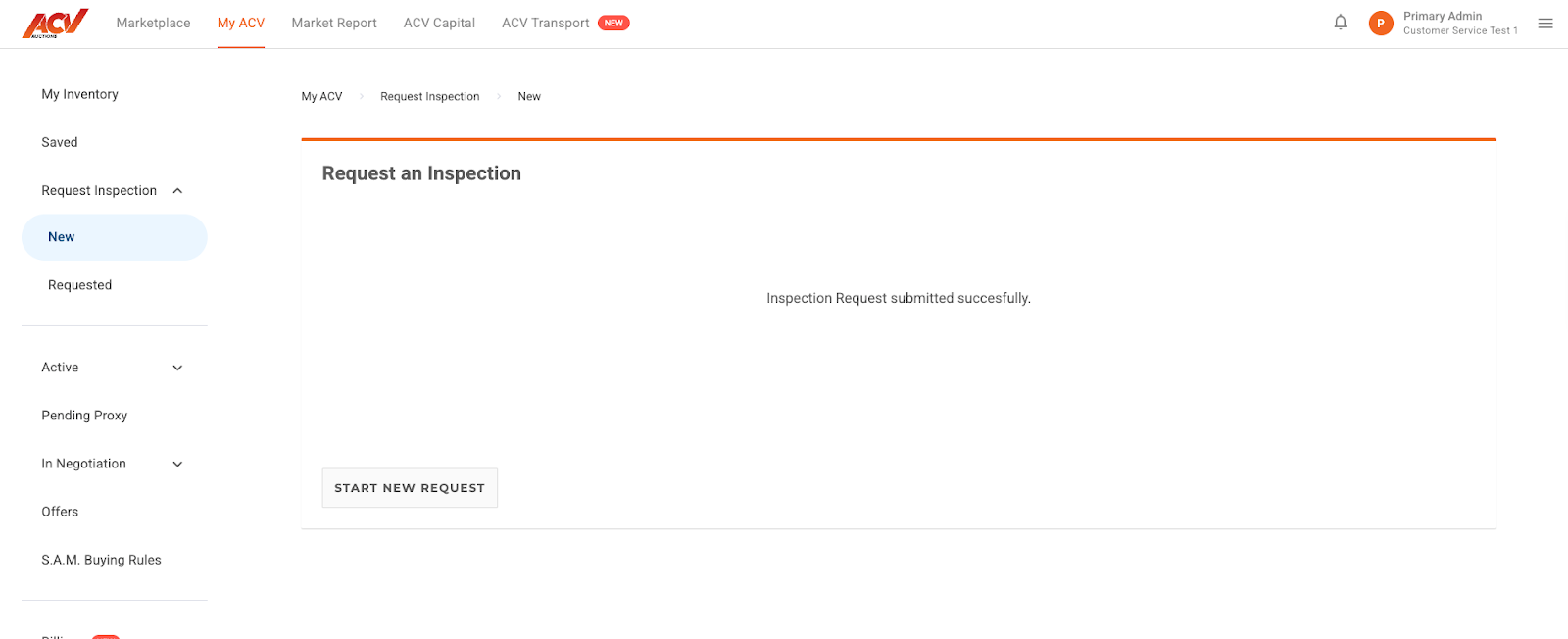
A message will appear that the request was submitted successfully
Need Help?
If you encounter any issues or have questions while requesting an inspection, our support team is ready to assist you!
📧 Email Us: service@acvauctions.com
📞 Call Us: 1-800-553-4070
💬 Chat with Us: Use the chat feature directly in MyACV!