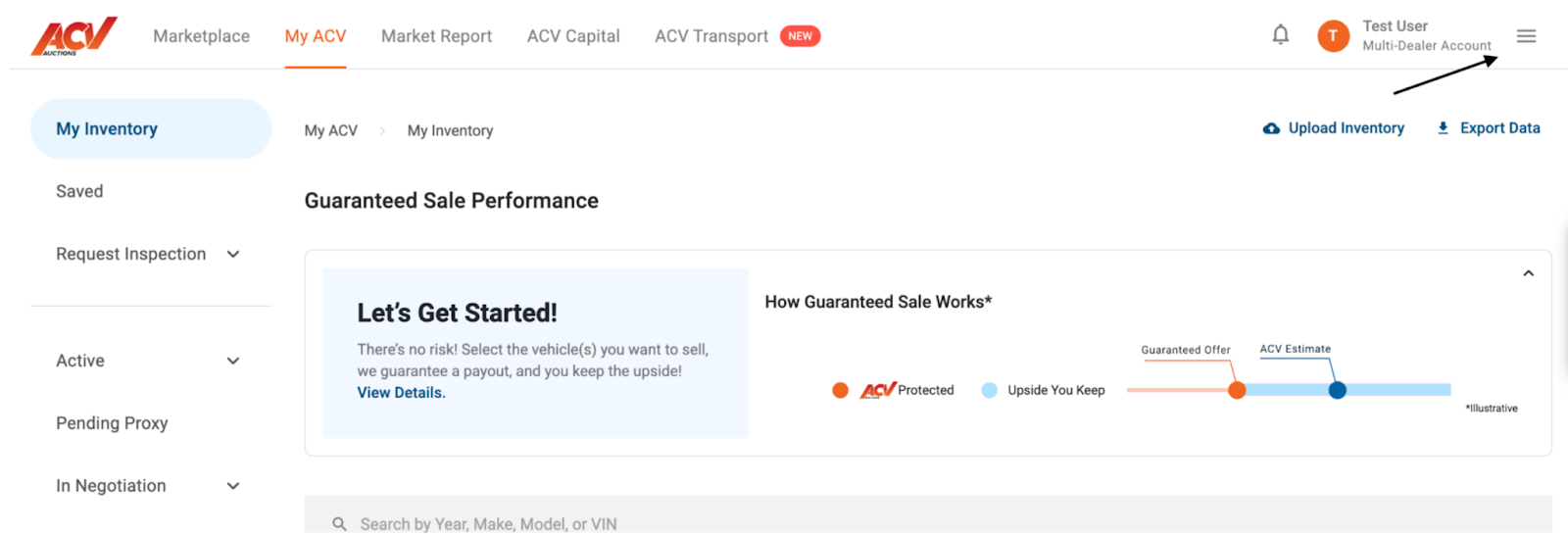
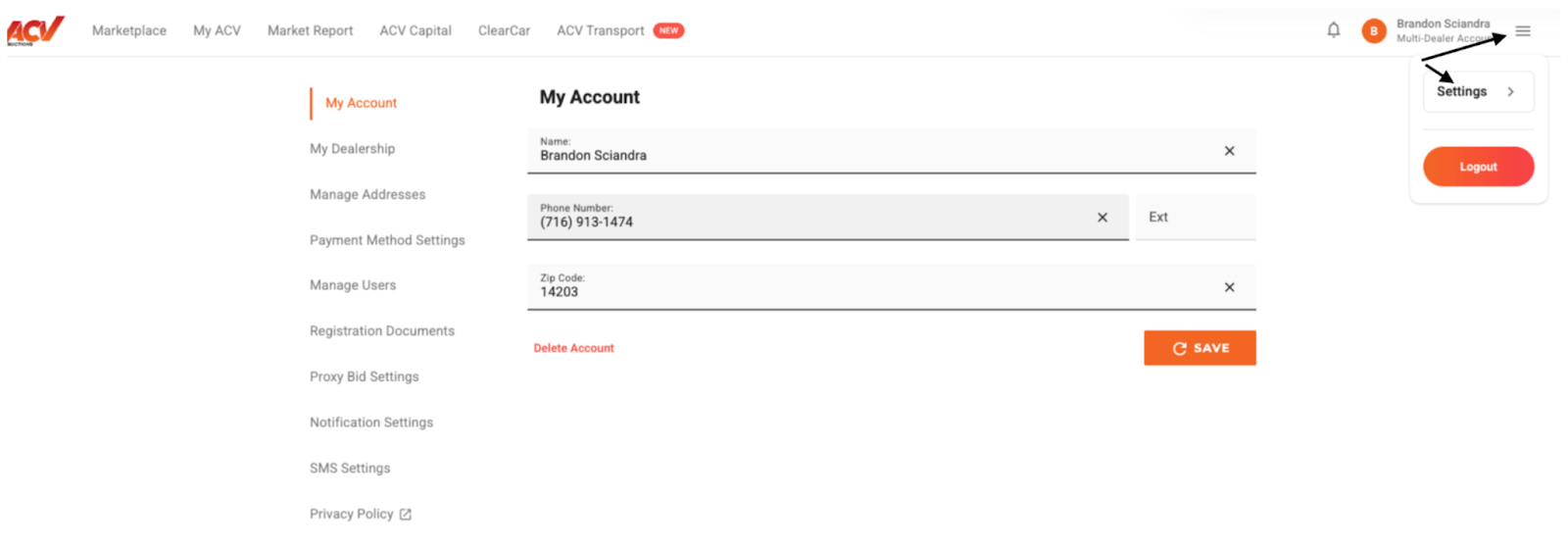
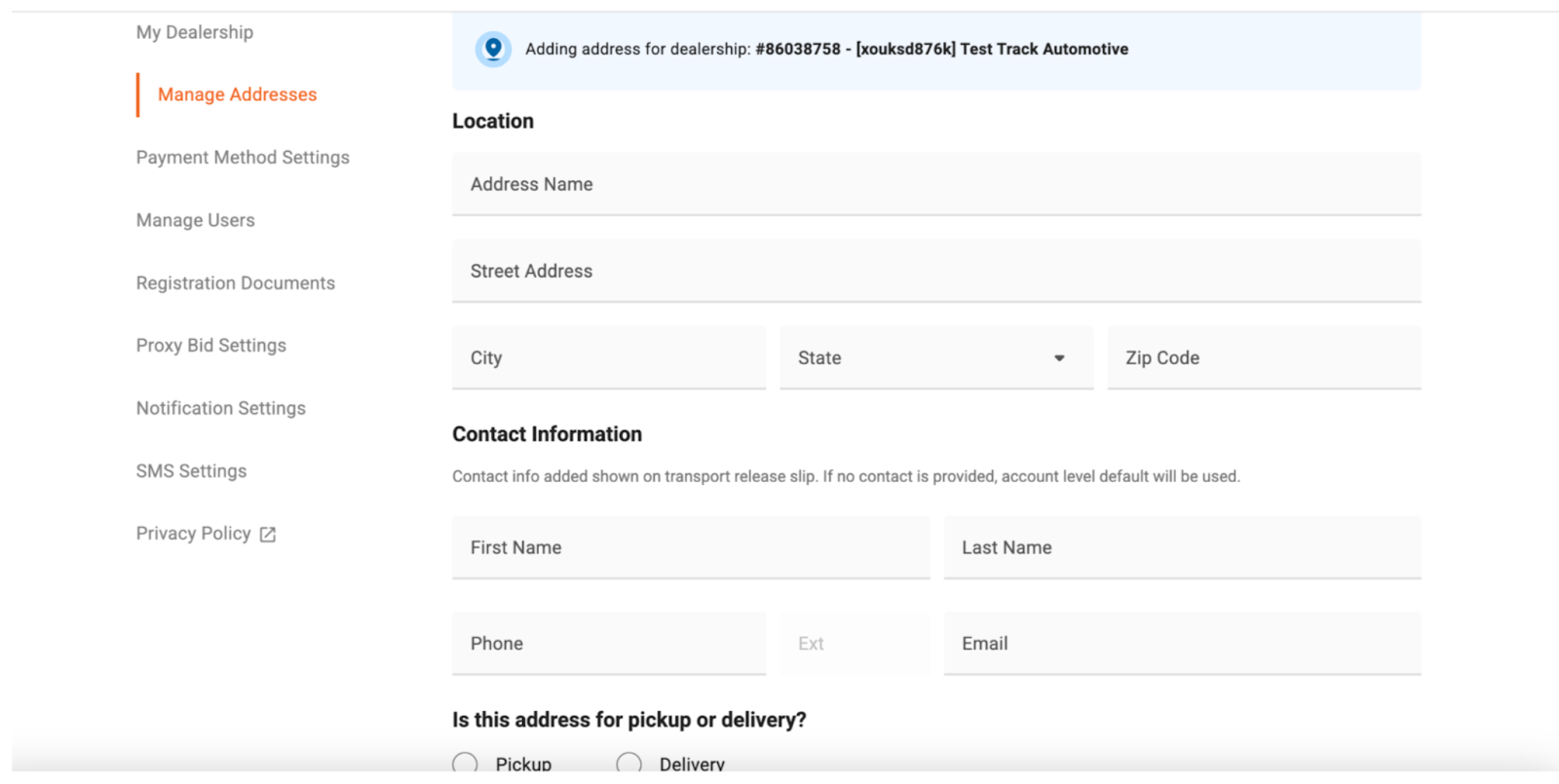
Once you’ve filled out all the required fields, click the "Save" button at the bottom of the form.
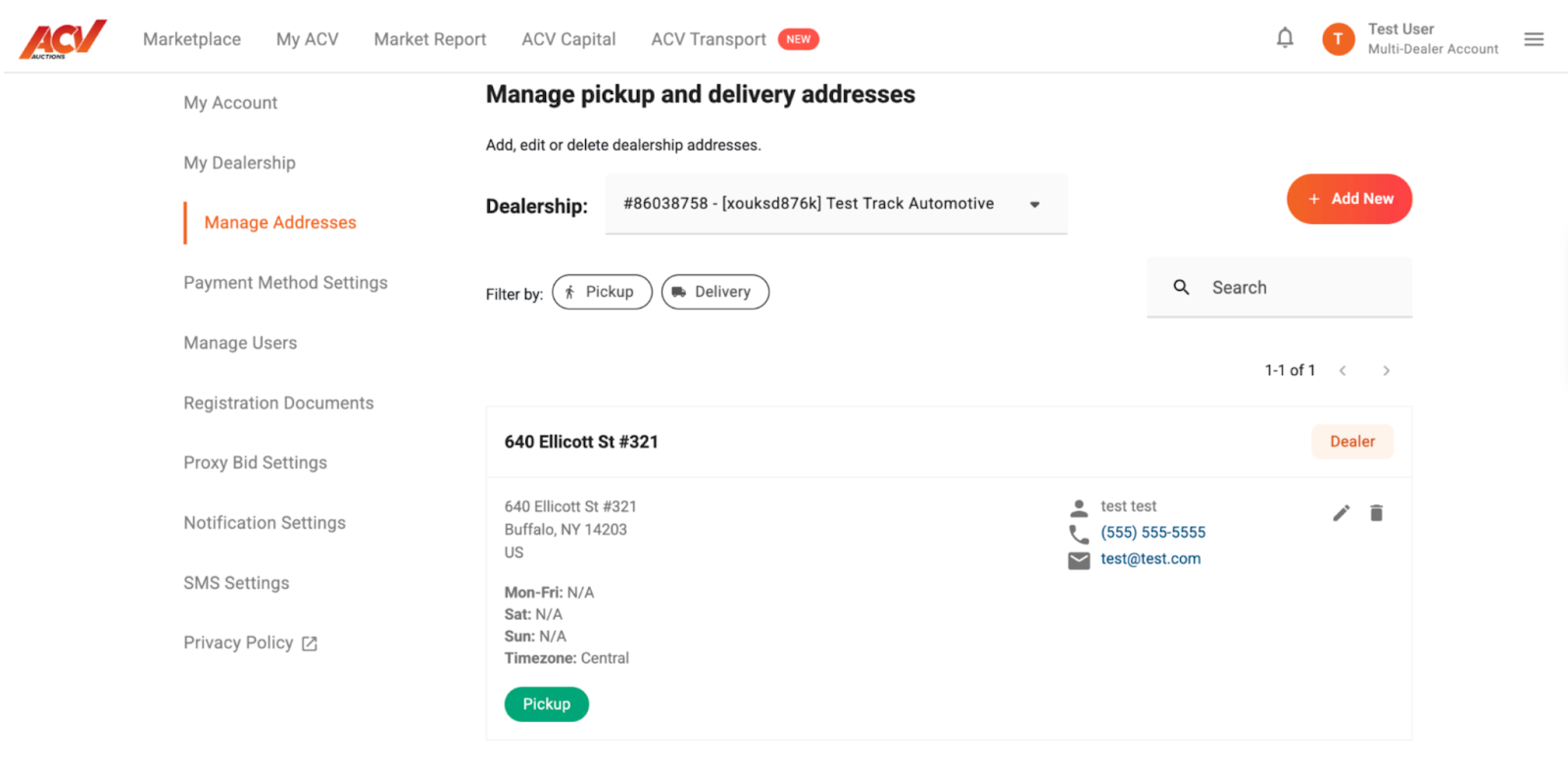
You’ve now successfully learned how to manage your delivery and pickup address(es) within MyACV! Keeping your address information accurate is essential for seamless transactions and ensures your vehicles arrive or are picked up exactly where you expect. We encourage you to review your address details periodically to confirm their accuracy, especially if you’ve recently moved or changed your preferred location. If you encounter any difficulties or have further questions, please don't hesitate to reach out to our support team. We're here to help you get the most out of your ACV Marketplace experience.
Need Assistance?
If you need assistance or have any questions, please contact:
💬 Chat with us in MyACV


