How to View and Join Auction Events

May 8, 2026
Support Center

/

How to View and Join Auction Events

These will appear in the Marketplace sidebar and are separate from the general auction feed.
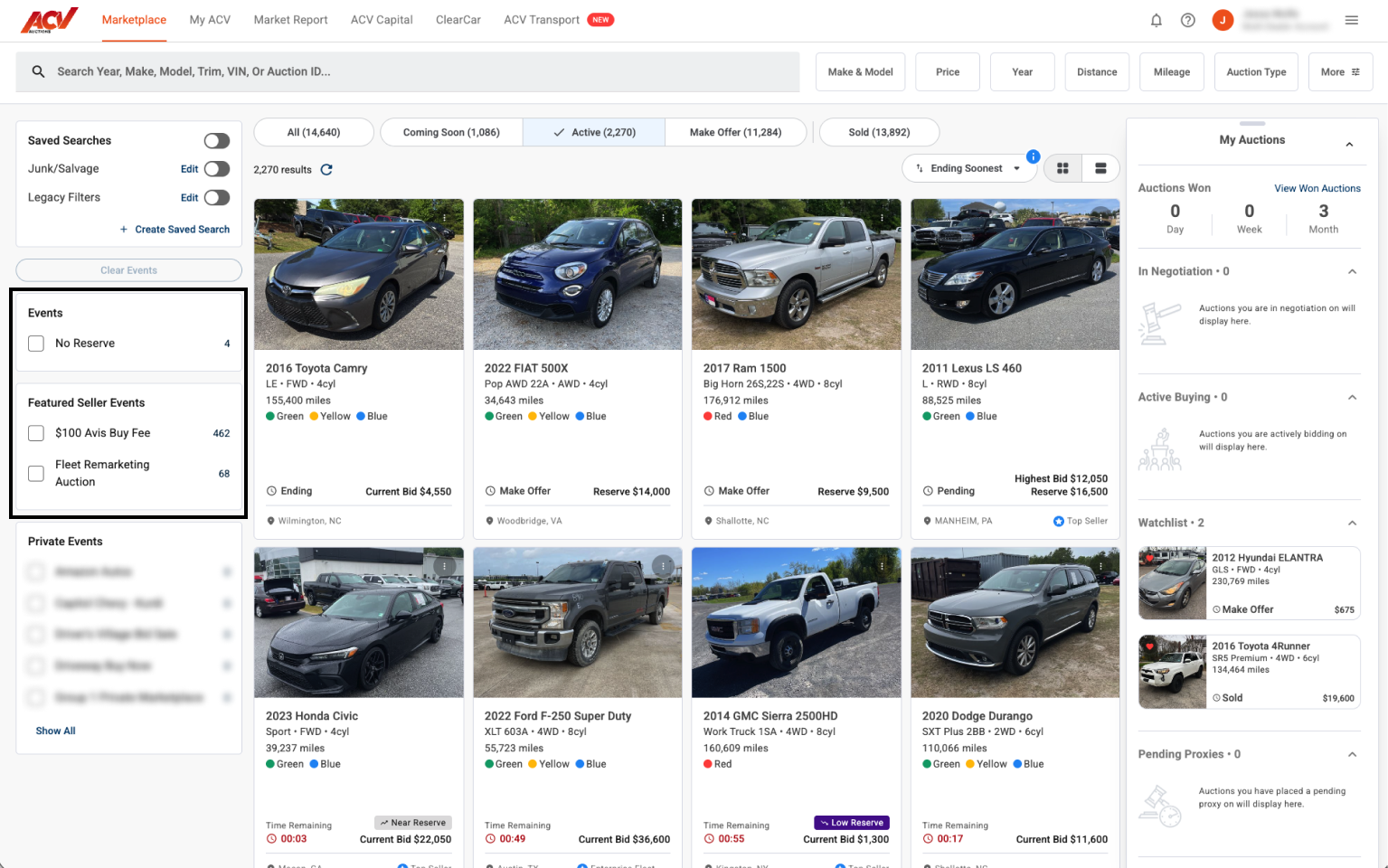
Types of events

  • No Reserve – all vehicles sell to the highest bidder. Runs are: Monday, Tuesday, Wednesday, Thursday, Friday and Saturday at 12 PM ET (9am-12pm PT). 
  • Featured Seller Events – sales from large fleet sellers (for example, rental companies, fleet remarketing programs). These may have a fixed buyer fee specific to the event.
  • Private Events – access-restricted auctions for specific dealer networks (for example, Amazon Autos, Group 1 Private Marketplace). Contact your ACV rep to request access.

Steps

  1. In the left sidebar, find the Events section. Active events show a vehicle count next to the name.
  2. Select View Events under any category to see all events in that group.
  1. Select an individual event name to filter the Marketplace to only that event’s vehicles.
  2. Browse and bid on vehicles within the event the same way you would in the general Marketplace.

What to expect

The vehicle count next to each event reflects how many auctions are currently active in that event. An event showing 0 vehicles may have Coming Soon inventory – select it to check.

Need more help? Visit our Support Center or call 1-800-553-4070. Phone support is available Monday-Friday 9am-10pm ET and Saturday 9am-2pm ET.

Related articles