You can browse the Run List early to place proxy bids or add vehicles to your watchlist before bidding opens, so you are ready when the auction starts.
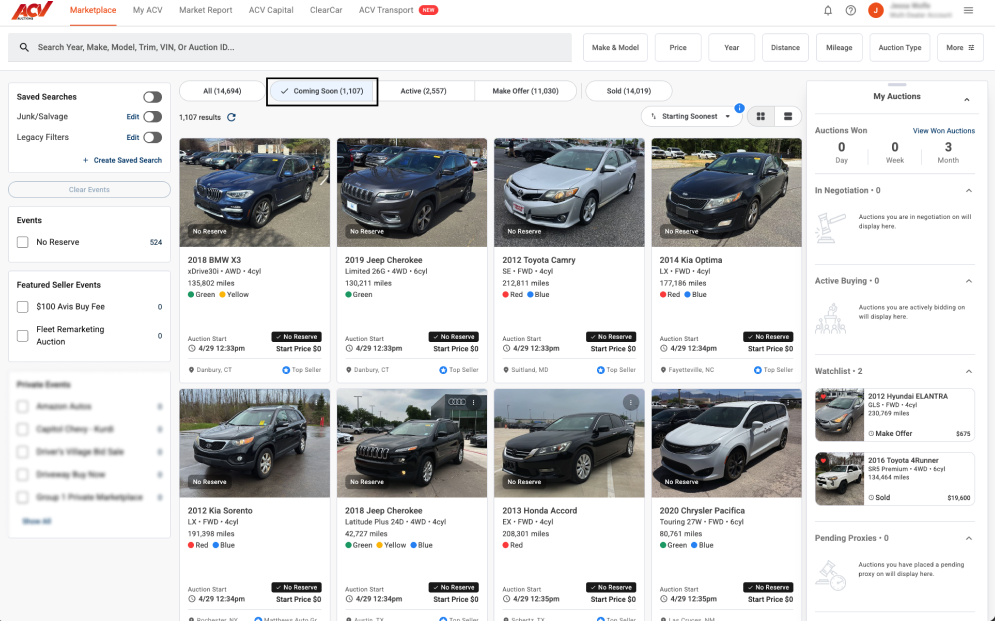
Vehicles on the Coming Soon Run List are not yet in active bidding. Your proxy bid will be held and activated automatically once the auction opens. Watchlisted vehicles send you an alert when the auction goes live, depending on your notification settings.
The Coming Soon tab is not visible. Run List availability depends on scheduled auction events. If no upcoming auctions are loaded yet, the tab may be empty or not displayed. Check back closer to the scheduled auction date.
Need more help? Visit our Support Center or call 1-800-553-4070. Phone support is available Monday-Friday 9am-10pm ET and Saturday 9am-2pm ET.


