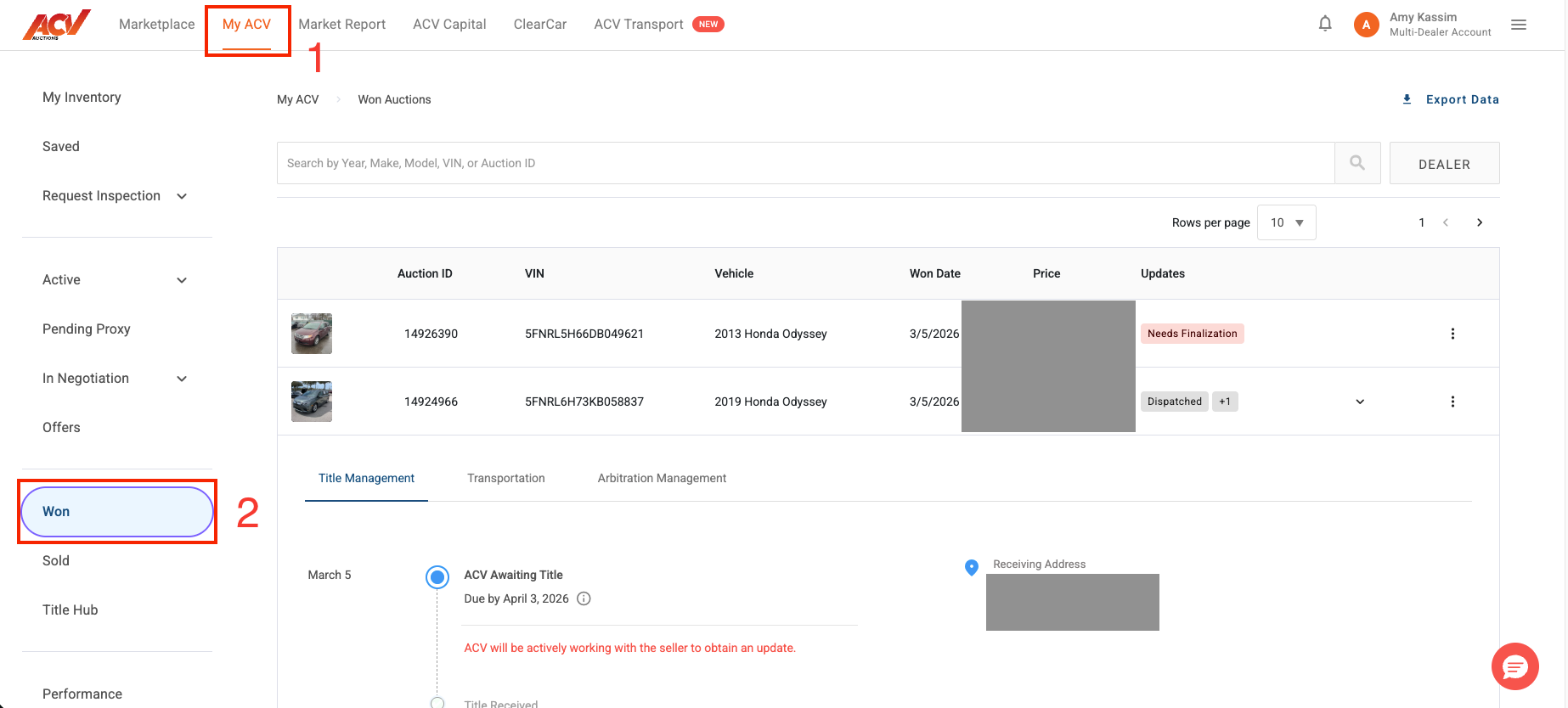
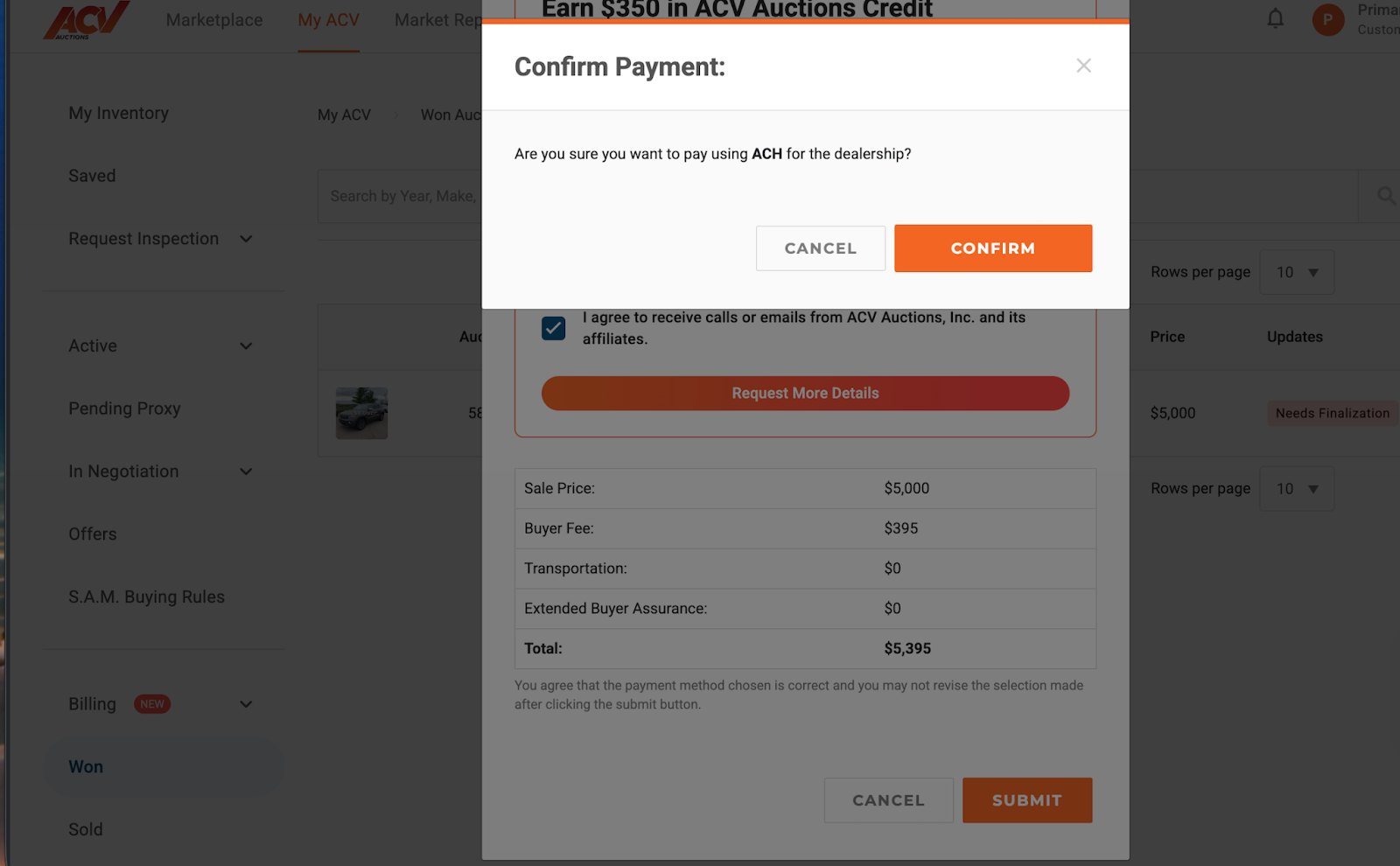
Login to ACV Marketplace and navigate to the MyACV tab, and select the “Won” tab on the left-hand side of the screen.
Select “Needs Finalization”
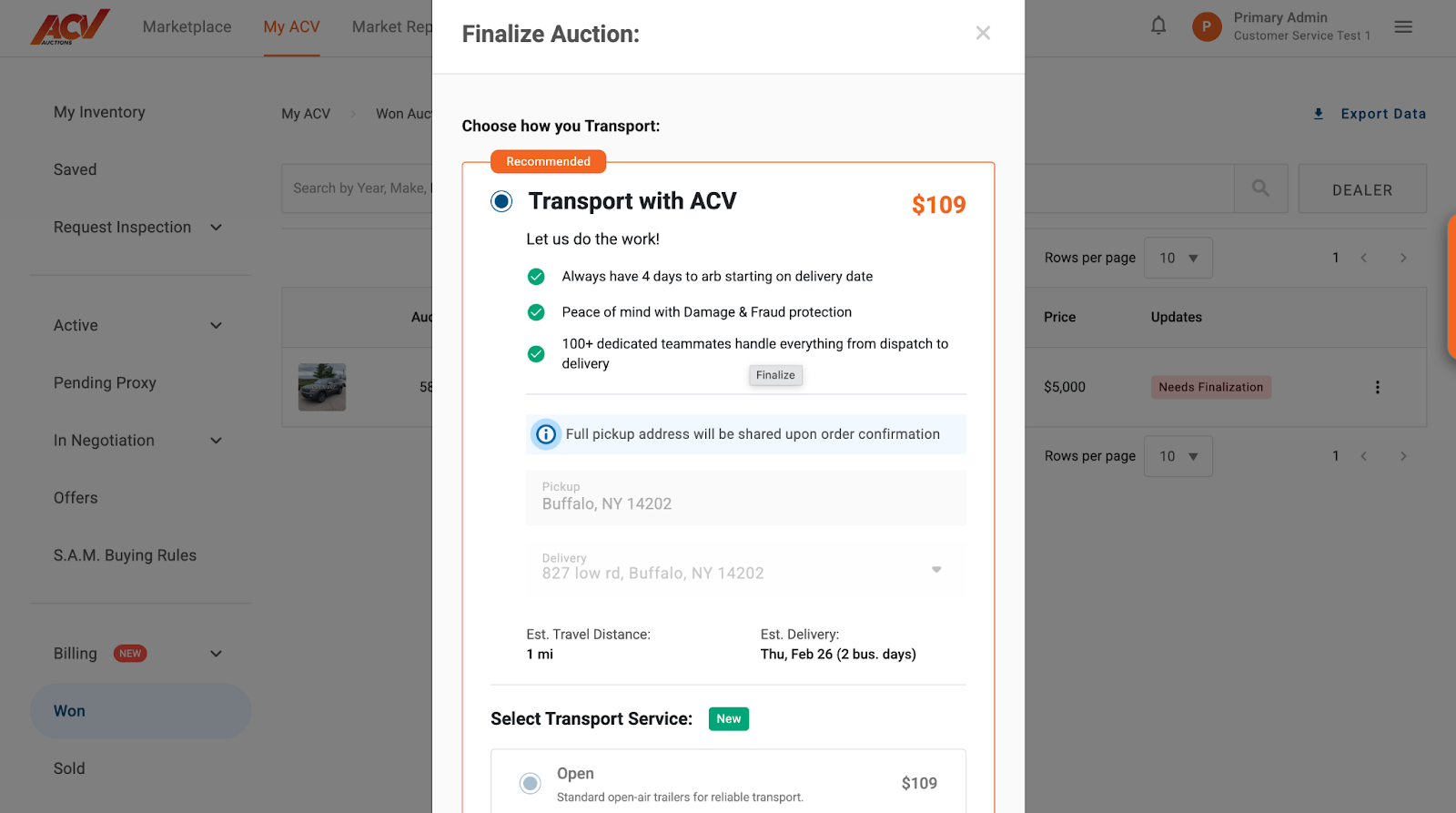
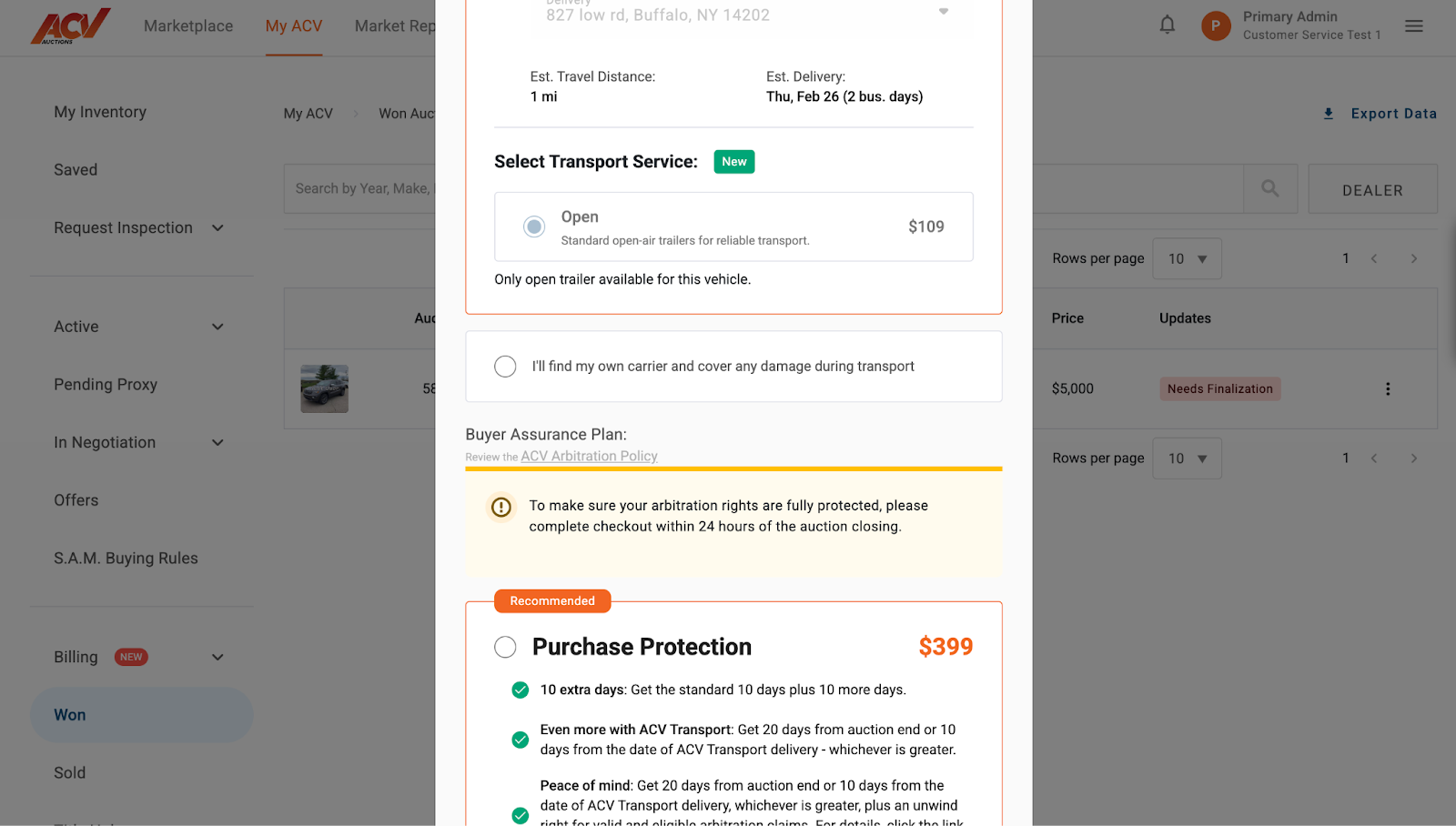
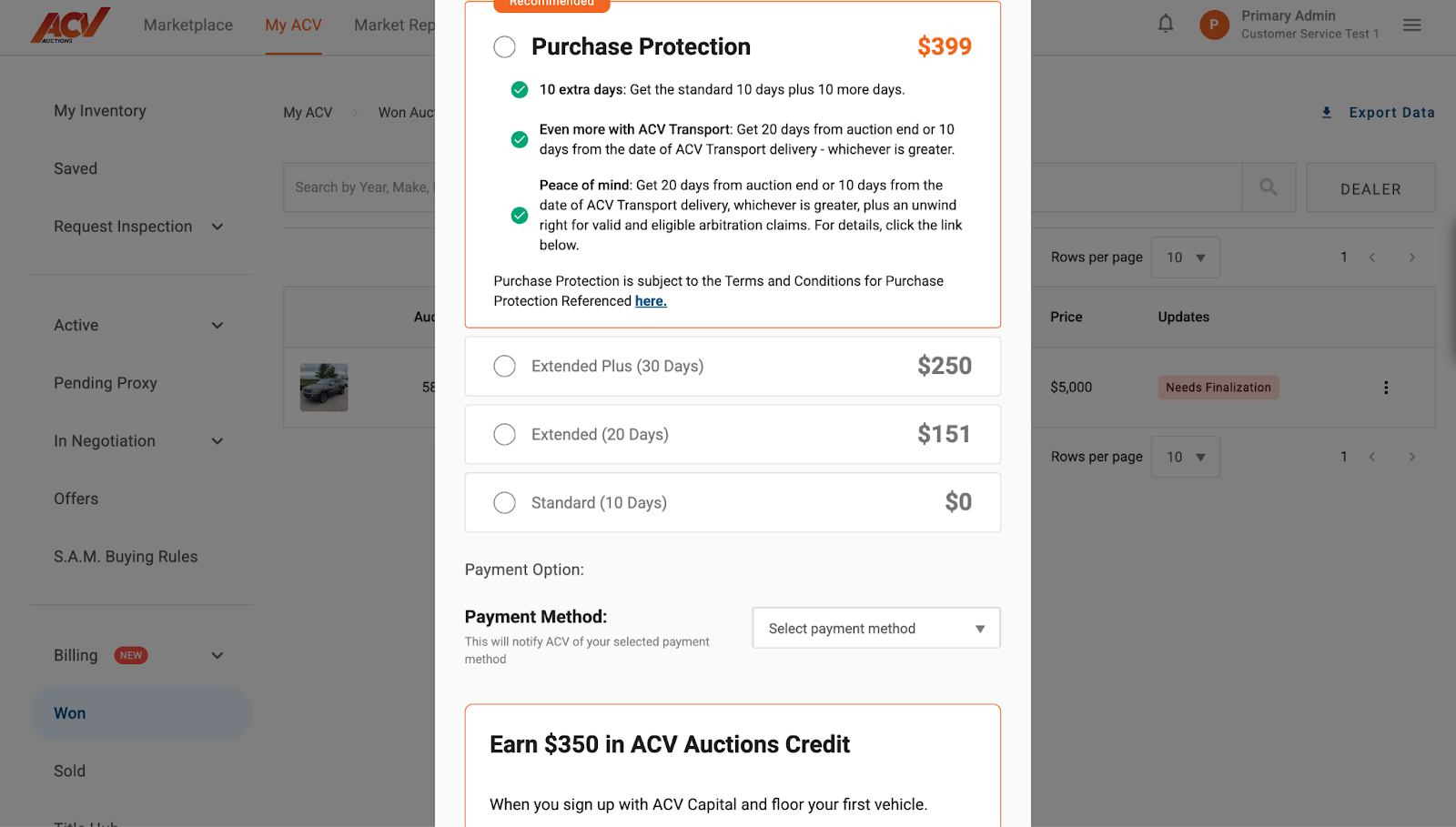
Navigate through all check out options and fill out the required fields
* **Important Note on Transportation:** Please be aware that if a seller explicitly requires ACV transport for a specific vehicle, the buyer (dealer) will not be able to opt out of using ACV transport services for that purchase.
Once all required information is complete a pop up will appear to confirm payment method before it is submitted
Need Help?
If you encounter any issues or have questions while finalizing your won vehicle, our support team is ready to assist you!
📧 Email Us: service@acvauctions.com
📞 Call Us: 1-800-553-4070
💬 Chat with Us: Use the chat feature directly in MyACV!