How to Report a General Issue in MyACV

March 11, 2026
Support Center

/

How to Report a General Issue in MyACV

Step-by-Step Instructions

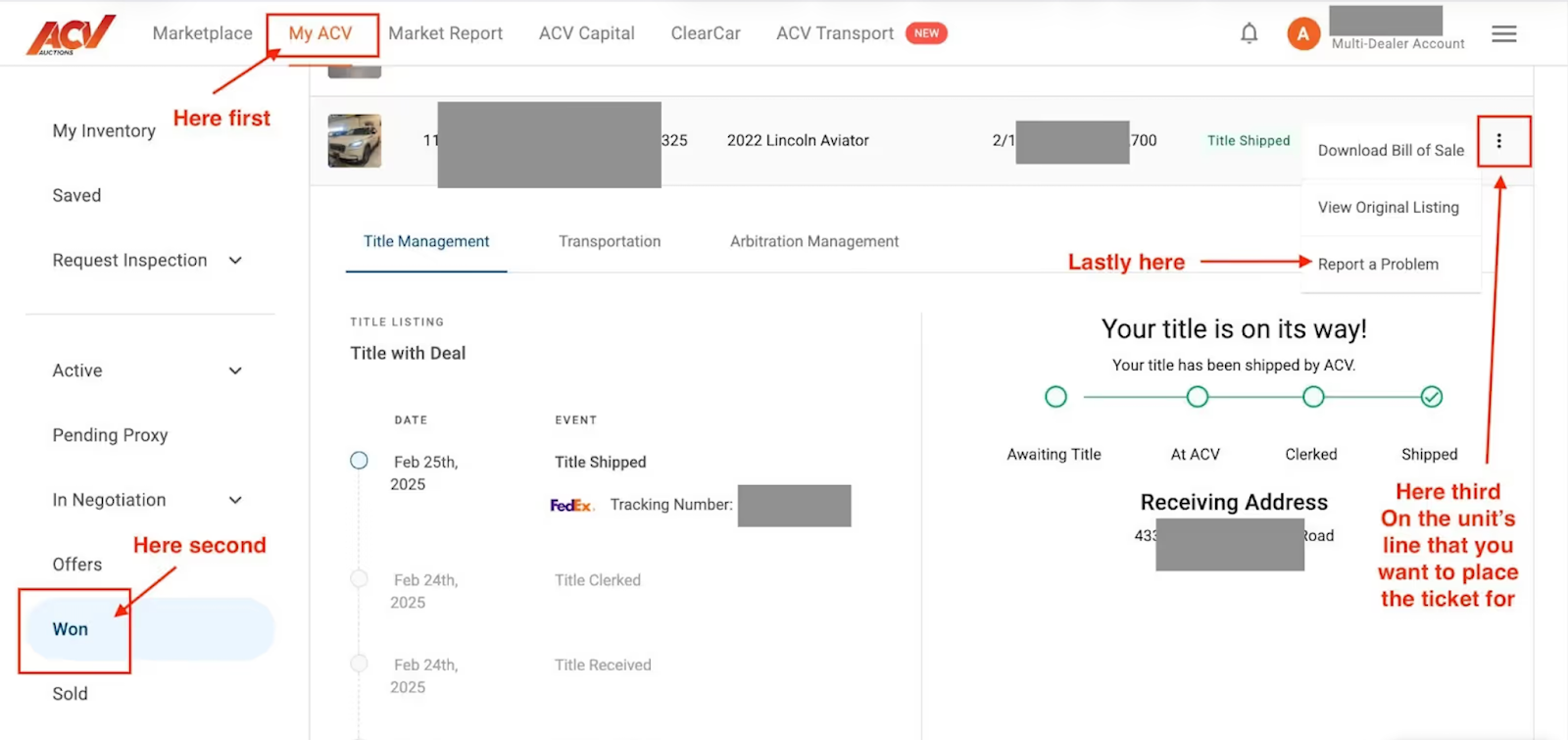
1. Go to the "Won" tab in MyACV

  • Visit MyACV on the top left (next to the Marketplace tab)
  • On the left-hand menu, click the “Won” tab

2. Find the vehicle

  • Locate the vehicle you need to report a problem for
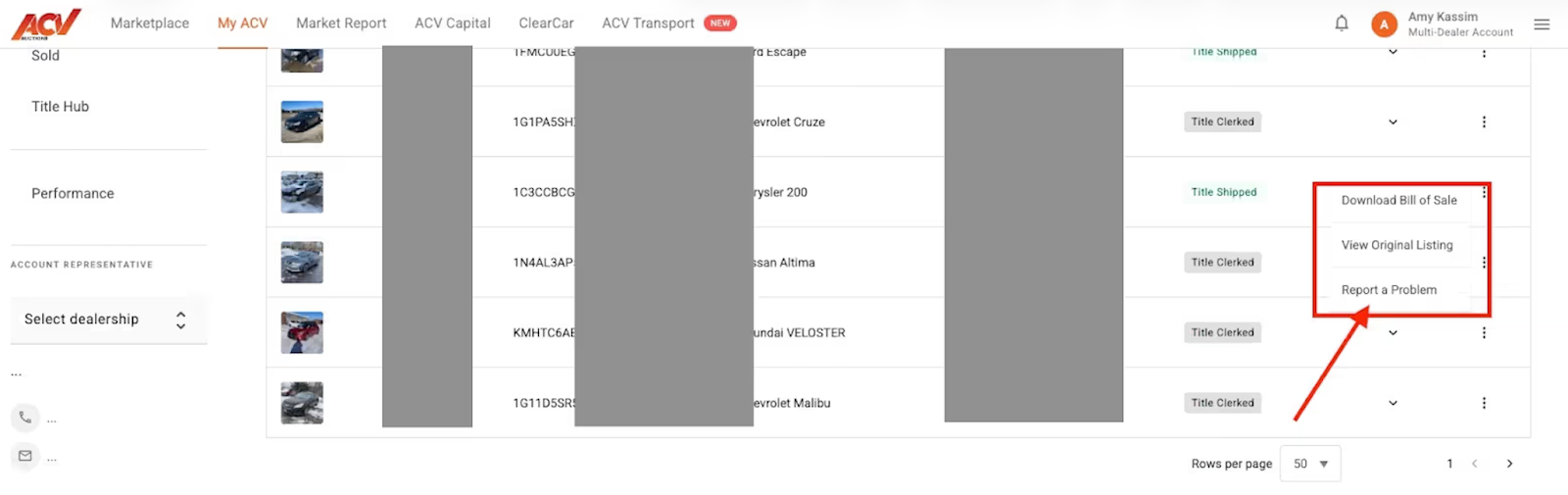
  • Click the three dots (•••) on the right-hand side of the vehicle row

3. Select “Report a Problem”

  • A pop-up menu will appear
  • Select “Report a problem”

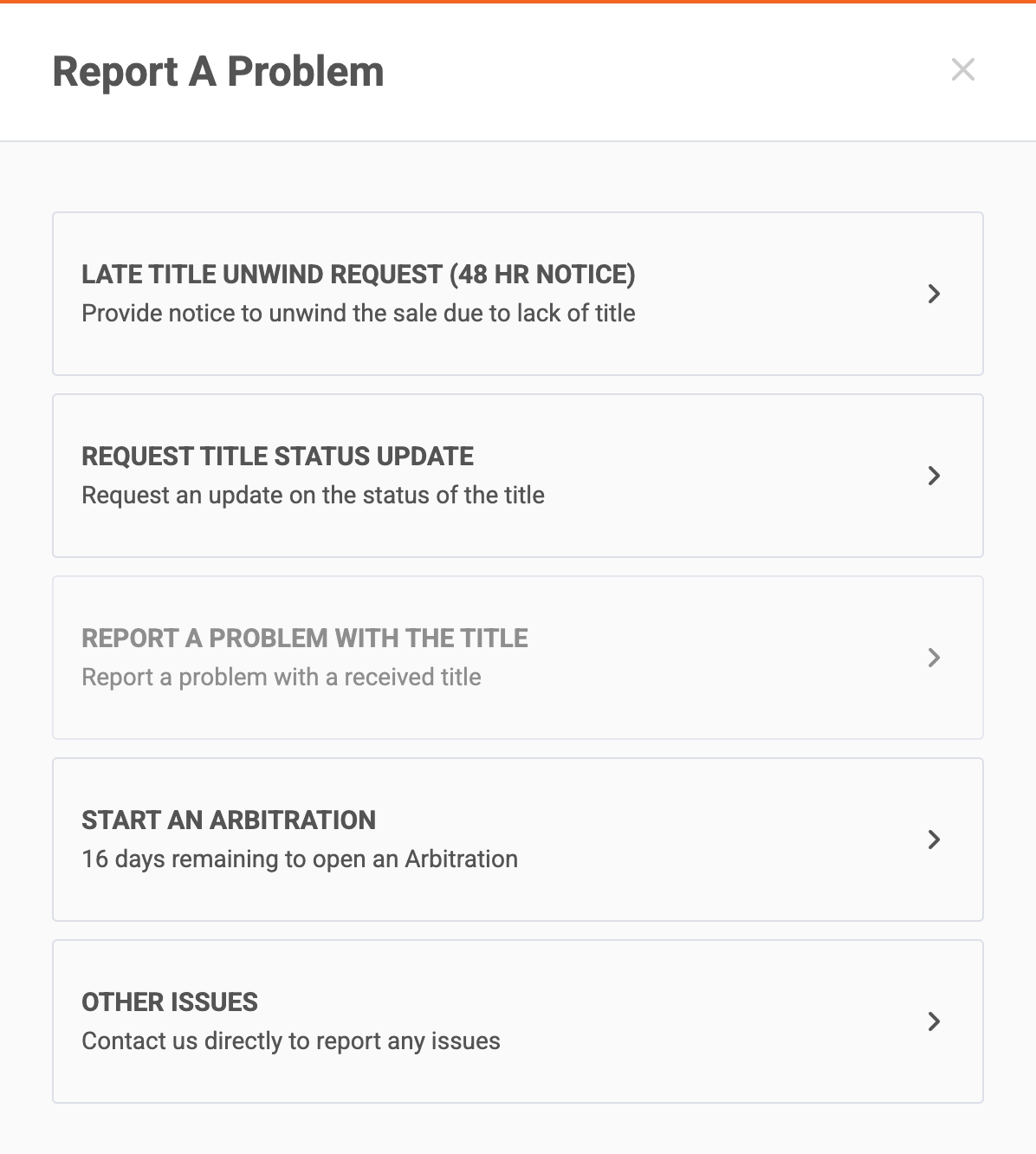
4. Choose the correct category for your inquiry 

  • There are a few other options available, if what you are in need of is not listed, choose “Other Issues”

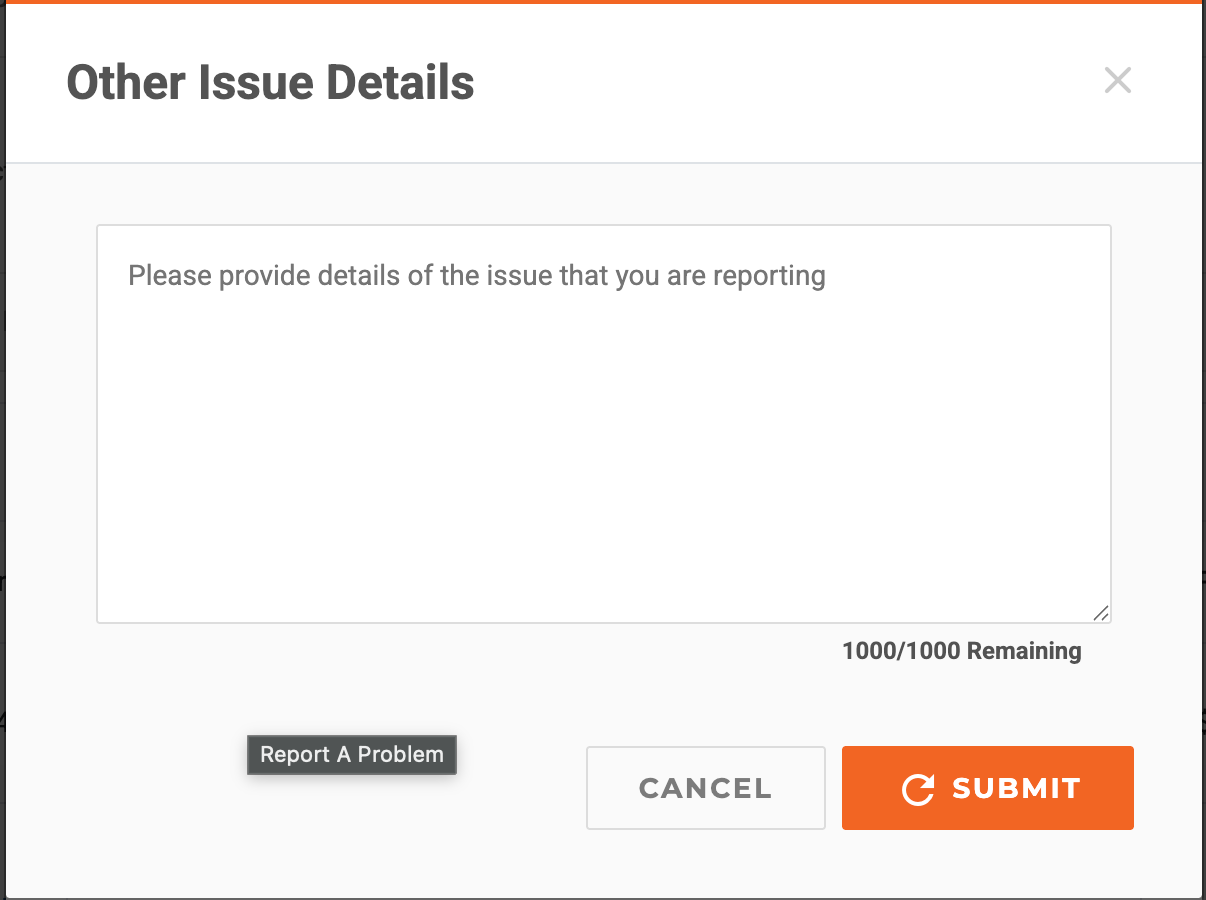
5. Describe the issue

  • Use the free-form text box to explain the title problem
  • Include helpful information such as:
  • Any supporting documents 
  • Specifics that can help the Customer Service team resolve the issue faster

6. Submit the request

  • Once all relevant information is entered, click Submit

FAQs & Common Issues

Q: How long does it take to get a response after submitting the issue?
A:
An Account Support Representative will typically respond within 48–72 hours.

Q: Can I include someone else as a point of contact?
A:
Yes. If someone else should be contacted about the issue, include their name and contact info in your notes.

Related Articles

Need Help?

Call: 1-800-553-4070 Option: 4
Email: Service@acvauctions.com

Related articles